Lotuz Studio AIThe AI agent for Photoshop-style editing, built for archviz
A Photoshop-style editor with an AI agent that works alongside you: upgrade renders, render raw images, edit selected areas. No license fee; you only pay credits when you use AI.
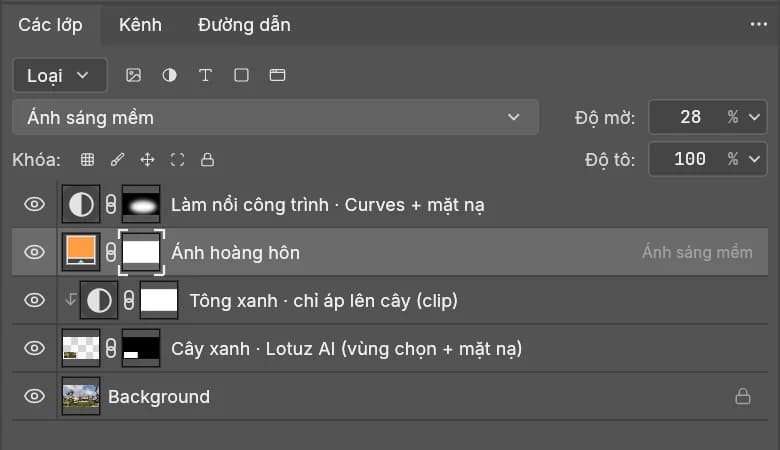
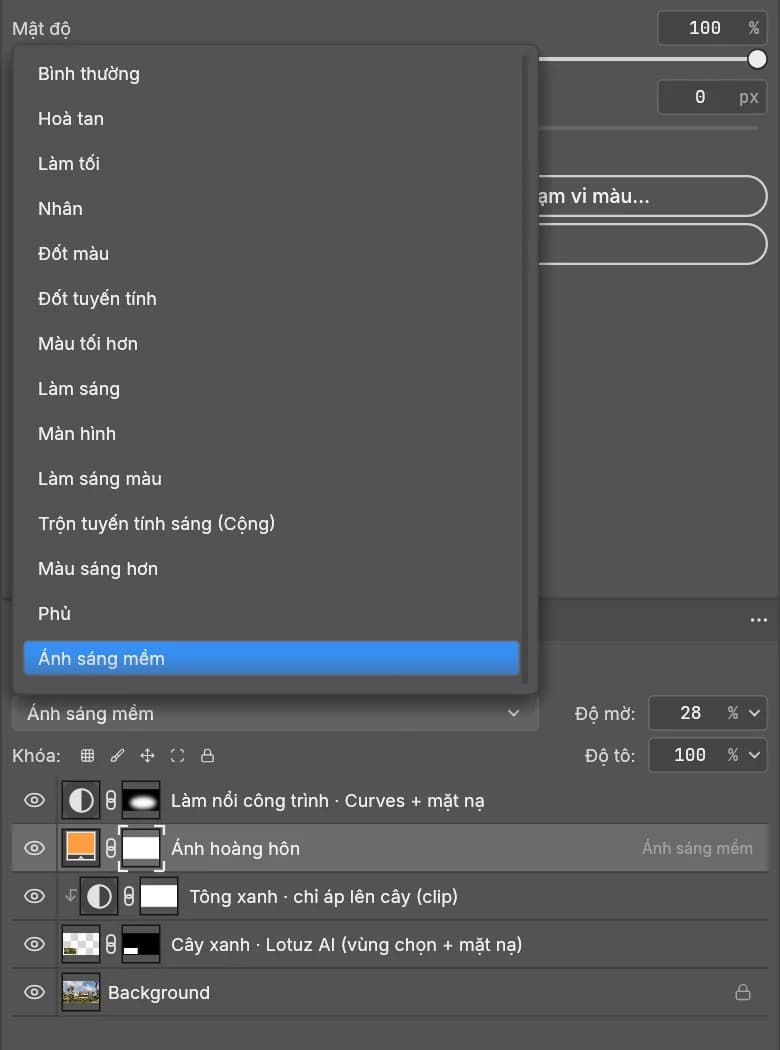
- 33 blend modes, all 27 from Photoshop
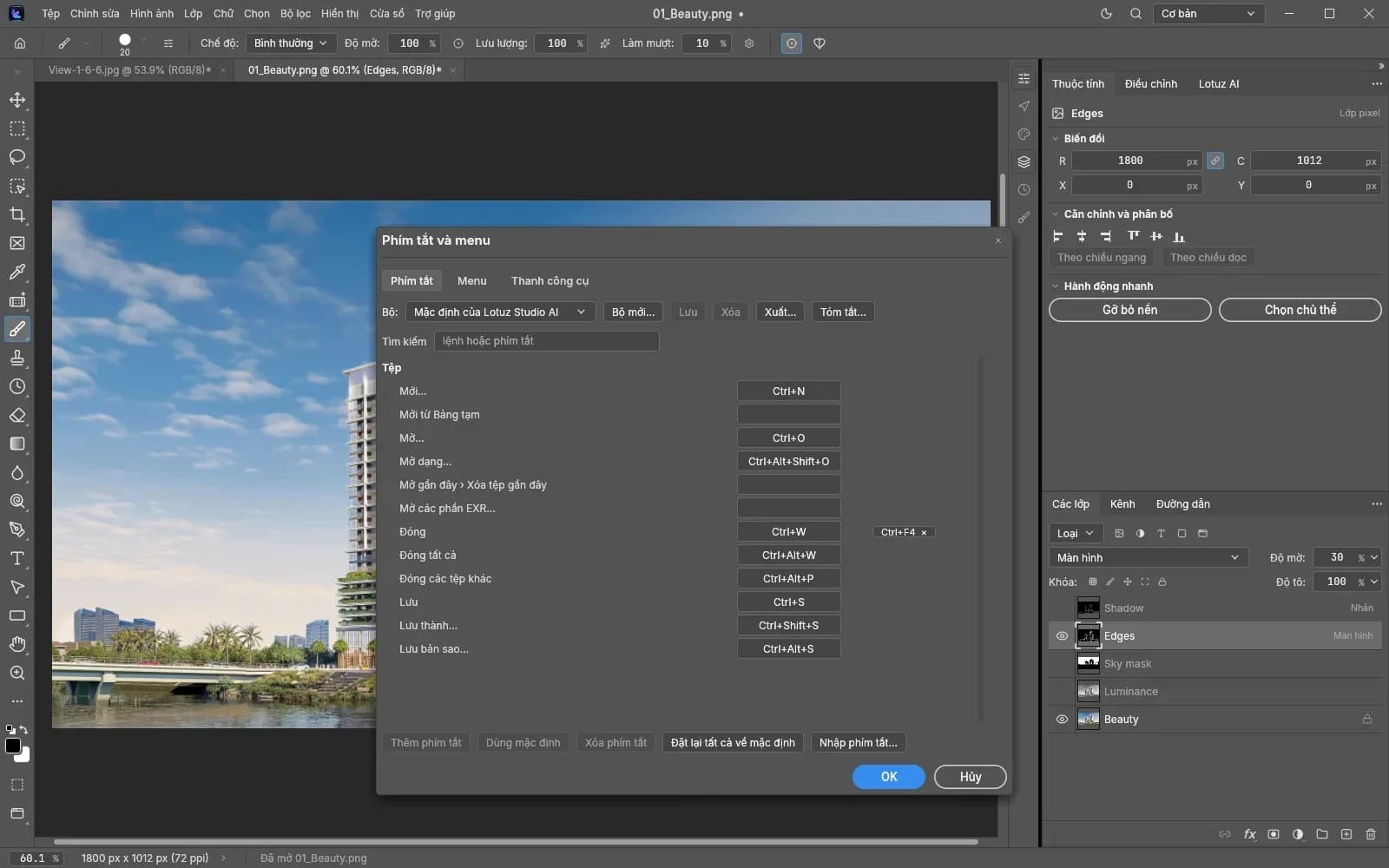
- 205 Photoshop-style shortcuts
- Render passes and EXR as layers
- AI region edit, returned as a masked layer
Or message us on Zalo 035 516 6833
No software license fee. You only pay credits when you use the AI assistant.
Requires: Windows 10/11 64-bit · GPU DirectX 12 / Vulkan
Businesses are stuck between two bad options
Post-production on renders needs software with layers, masks and blend modes. There are only two roads today, and both cost something.
Cheap today, but once a company signs a contract with a client, the legal and reputation risk sits on the company, not on one personal machine.
One subscription per machine, paid again every year. The bigger the team, the larger the fixed cost, even in months without projects.
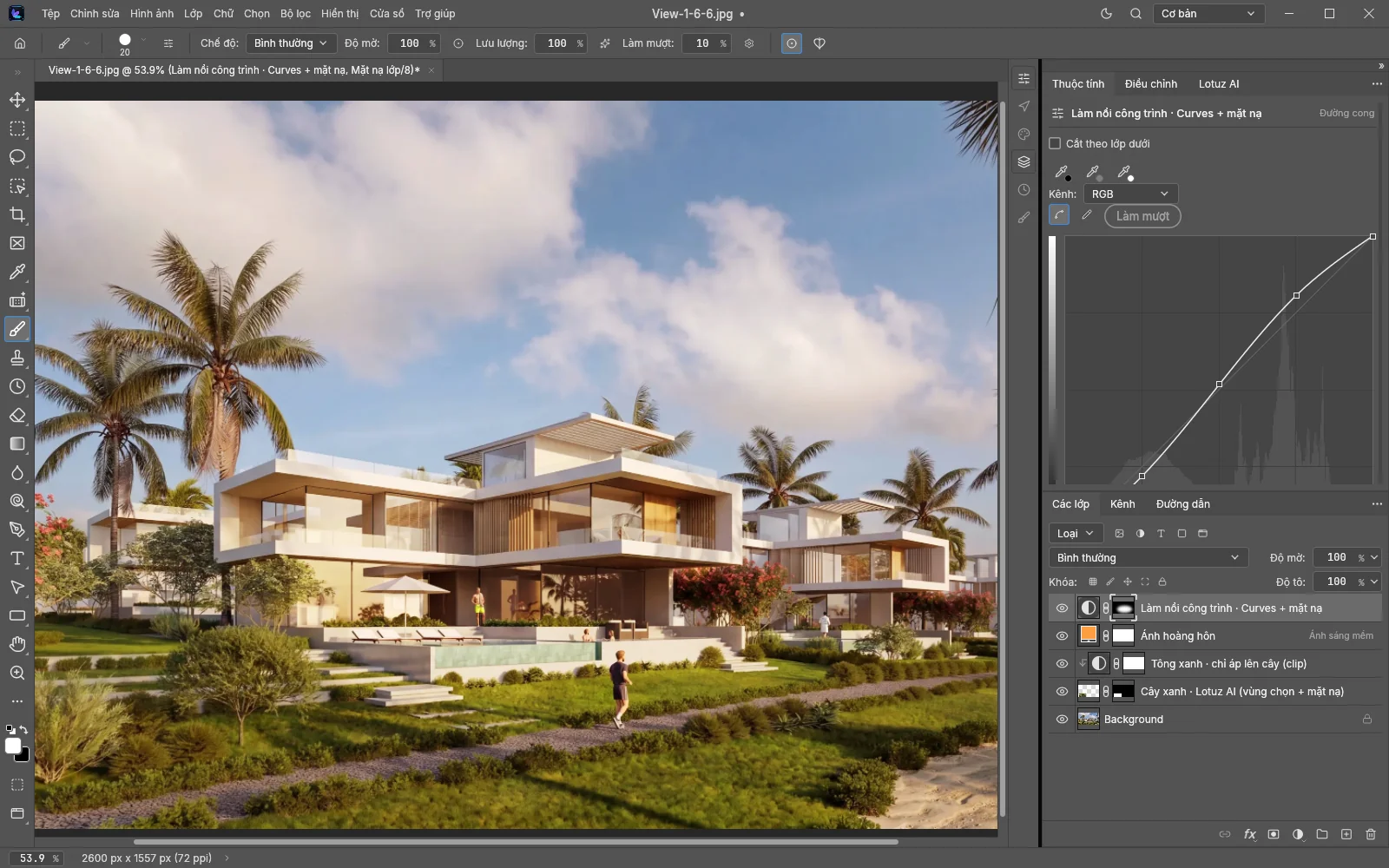
Software license at 0 VND, and AI built for architectural post-production. Credits are spent only when you use AI.
License cost compared
Reseller price for one machine for one year.
You only pay credits when you use the AI assistant.
Source: phucanh.vn, Photoshop for Teams page · Reference reseller price, subject to change.
An assistant next to you while you retouch
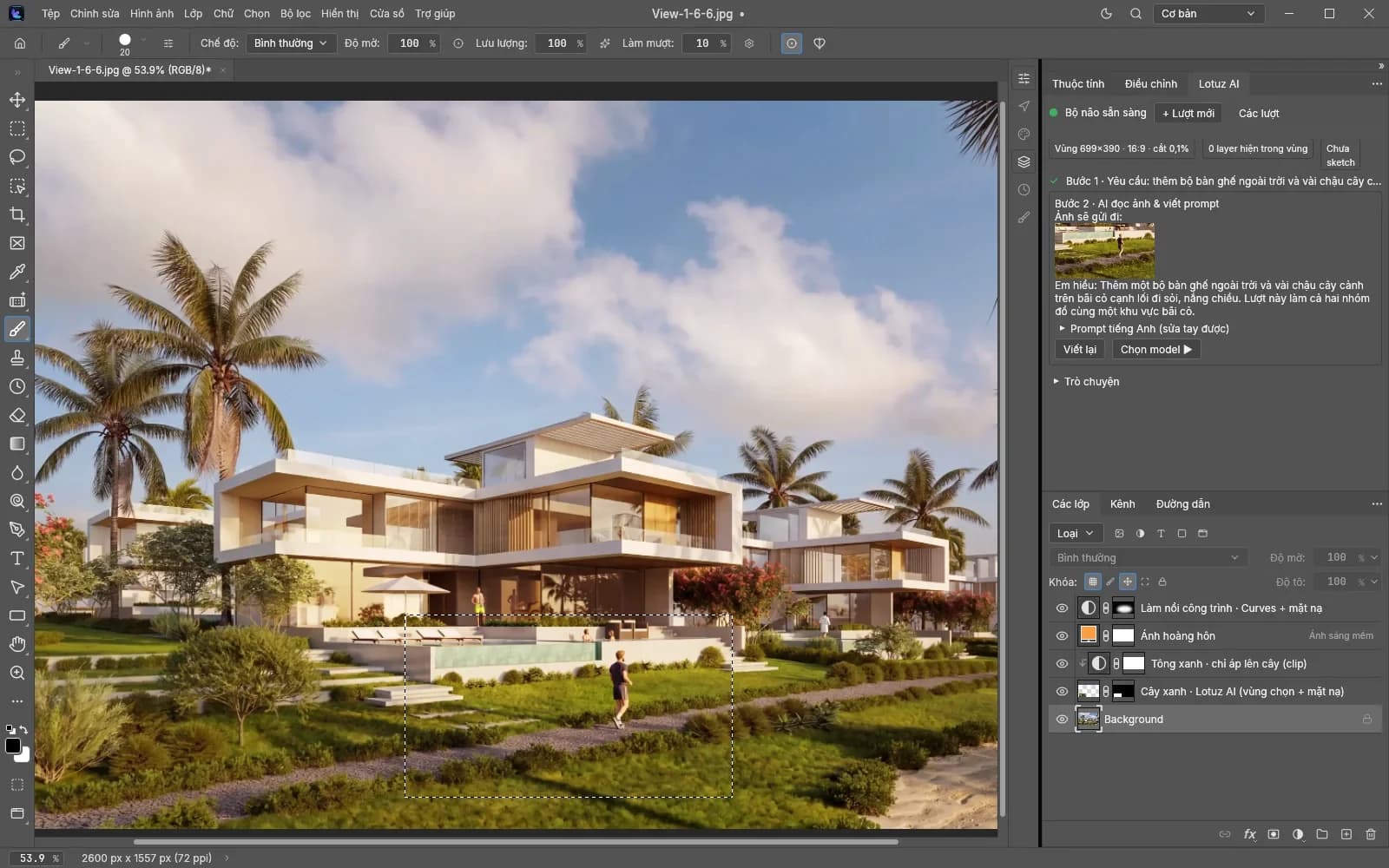
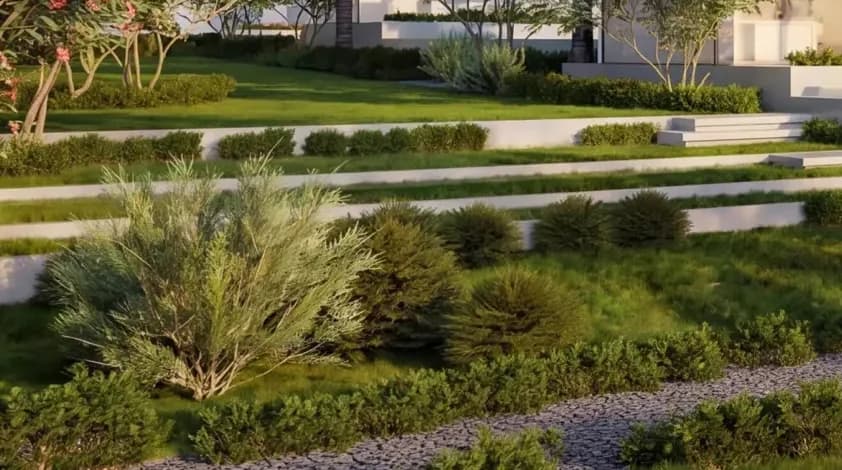
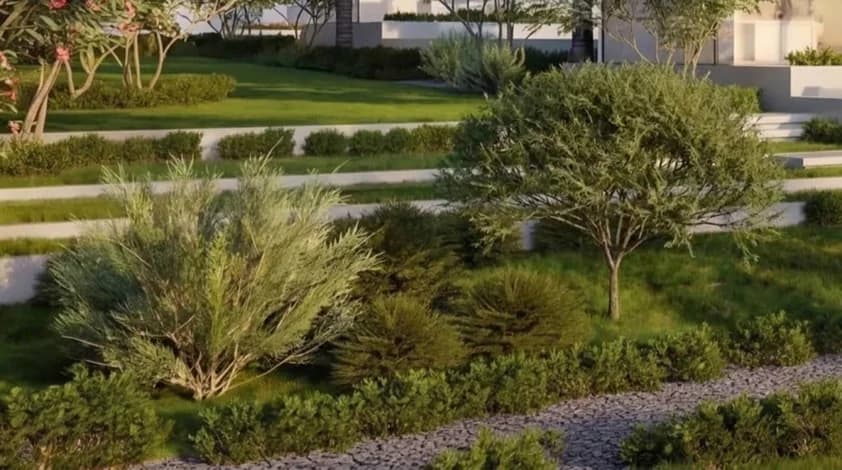
Select an area and say what you want changed, in Vietnamese. The assistant writes the prompt, asks when something is unclear, generates the image and places the result on a masked layer for you to keep working.
Select an area and describe the change in Vietnamese. Add reference images or a sketch layer if you need to.
The assistant drafts the prompt for you and asks follow-up questions when the description is vague, so you do not have to learn prompt writing.
The AI image lands as an ordinary layer with a mask, in a single undo step. Keep adjusting blend, opacity and mask like any other layer.
Press revise: the assistant reviews the result it just made, rewrites the prompt and generates again.
Nano Banana Pro, Nano Banana 2.1 and GPT Image 2.5. Pick the model that fits the job.
Say “warmer, like late afternoon” and the assistant grades the color for you.
The assistant proposes the atmosphere and emotion that suit the building; you pick a direction and it does the work.
The assistant knows which building and which image of the project you are on, so its suggestions fit.
Drive the whole app by chat: nearly 500 menu commands (945 commands in the app) done on your behalf.
Items marked Coming soon are not in the current build yet.
Post-production the way render artists work
Render passes, re-renders, file export: the things that happen every day in a visualization studio.
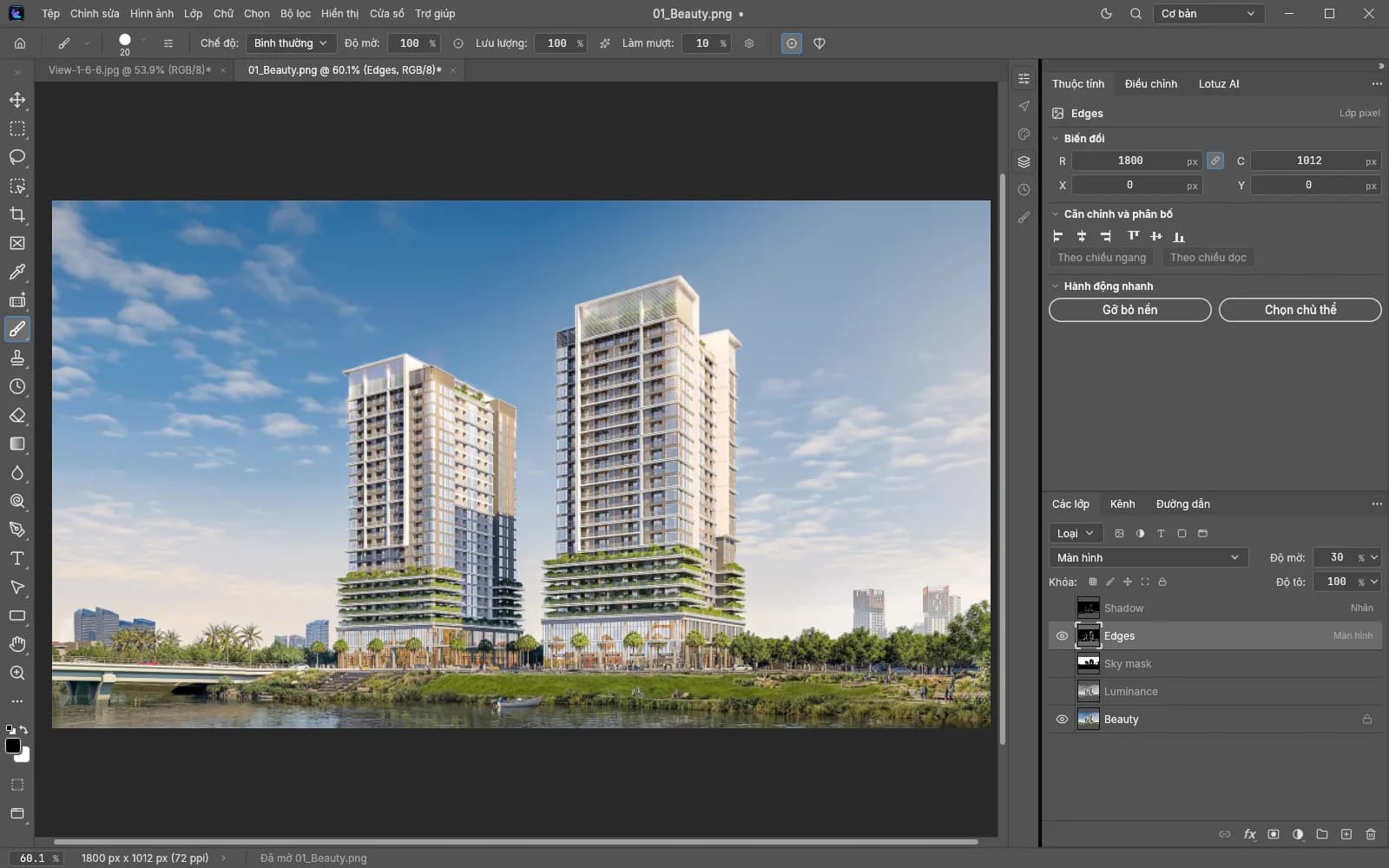
Load a whole folder of renders into one layer stack. Import multi-part, multi-channel EXR (V-Ray and Corona style) as layers, optionally with a beauty precomp.
Place Linked layers update on their own when the file on disk changes (the app checks every 2 seconds). Relink and replace contents are included.
OpenEXR 16/32-bit float, TIFF 8/16/32-bit and layered TIFF, RAW (DNG, CR2...), PNG, JPEG, WebP.
Spots passes such as Glass, Foliage, Sky, MultiMatte and assigns a fitting blend mode.
Keep your Photoshop habits, change the cost
Blend modes, shortcuts and file formats follow Photoshop, so the team does not start from zero.
- Layers
- Clipping mask (Ctrl+Alt+G), layer masks, groups, 16 adjustment layer types
- Smart Objects
- Smart Objects with 21 commands, smart filters
- Automation
- Actions (.atn import), Batch
- Image
- Camera Raw, 16/32-bit, CMYK, Lab
- Files
- Open and save layered PSD/PSB; EXR, TIFF, RAW, PNG, JPEG, WebP
- Performance
- GPU compositor (DirectX 12 / Vulkan), a native app, not Electron
- Interface
- Vietnamese UI, among 27 interface languages
A free app, AI billed per use
There is no software subscription to renew. The only cost is credits when you call the AI assistant.
Install it across the studio, with no per-machine fee.
Each AI run deducts credits from your lotuz.ai account. If you do not use AI, you spend no credits.
Credit prices and top-up packs are on the Lotuz pricing page.
Move the whole studio to Lotuz Studio AI
Leave your details and Lotuz will advise on moving from Photoshop and set up a separate demo for your team.
- Consulting on migrating your system from Photoshop to Lotuz Studio AI
- Setup help for the whole studio
- 1:1 demo for architect teams
Frequently asked questions
Is it really free?
The software license is 0 VND. You only pay credits when you use the AI assistant; if you do not use AI, you spend no credits.
Do I need Photoshop installed?
No. Lotuz Studio AI is a standalone application and does not need Photoshop on the machine.
Can it open my old PSD files?
It opens and saves layered PSD/PSB. When we re-saved 309 test PSD files, 307 came out matching the original. Keep your originals and check before replacing files in bulk.
What do the machines need?
Windows 10 or 11 64-bit and a graphics card that supports DirectX 12 or Vulkan.
When can I download it?
Early access sign-up is open now. When a build is available, a Download button appears at the top of this page. Leave your phone number in the sign-up form and Lotuz will get in touch about a trial and demo.
Are my images sent to a server?
Your project files stay on your machine. When you use AI, the selected area (plus any reference images or sketch layer you attach) is sent through lotuz.ai to be processed.
What is it built on?
Lotuz Studio AI is developed on top of PhotoCraft (open source, MIT license).
Other Lotuz tools
Guides from the Lotuz Community
Hands-on tutorials written by the Lotuz team for architects and visualizers — free to read, no account needed. (In Vietnamese.)
- Corona căn bảnRender Elements — tách lớp để hậu kỳ chủ động
- Tối ưu RenderDùng LightMix để không phải render lại khi đổi ánh sáng
- Corona căn bảnCorona Frame Buffer và LightMix — chỉnh ảnh ngay trong render
- Corona căn bảnRender ngược sáng — cảnh khó nhất của ảnh nội thất
- Corona căn bảnLý thuyết render vật lý: exposure, tone mapping, dải sáng
- Corona căn bảnBắt đầu ở đây — lộ trình học Corona cho diễn hoạ
Courses:SketchUpCorona · 3ds MaxD5 RenderBlenderBrowse the whole Community →