Counters
See where the weight is
Definitions, materials, edges, faces plus file size, refreshed after every command.
Eleven controlled cleaning commands, each undoable on its own. Find the heavy objects, merge duplicates without changing shapes, then write a compacted copy.
Free, never expires. Create an account, then download the Lotuz installer.
Requires: SketchUp 2021.1+ · Windows
Eleven cleaning commands, each its own undo step.
Definitions, materials, edges, faces plus file size, refreshed after every command.
Purge, stray edges, hidden geometry, construction lines, Enscape leftovers.
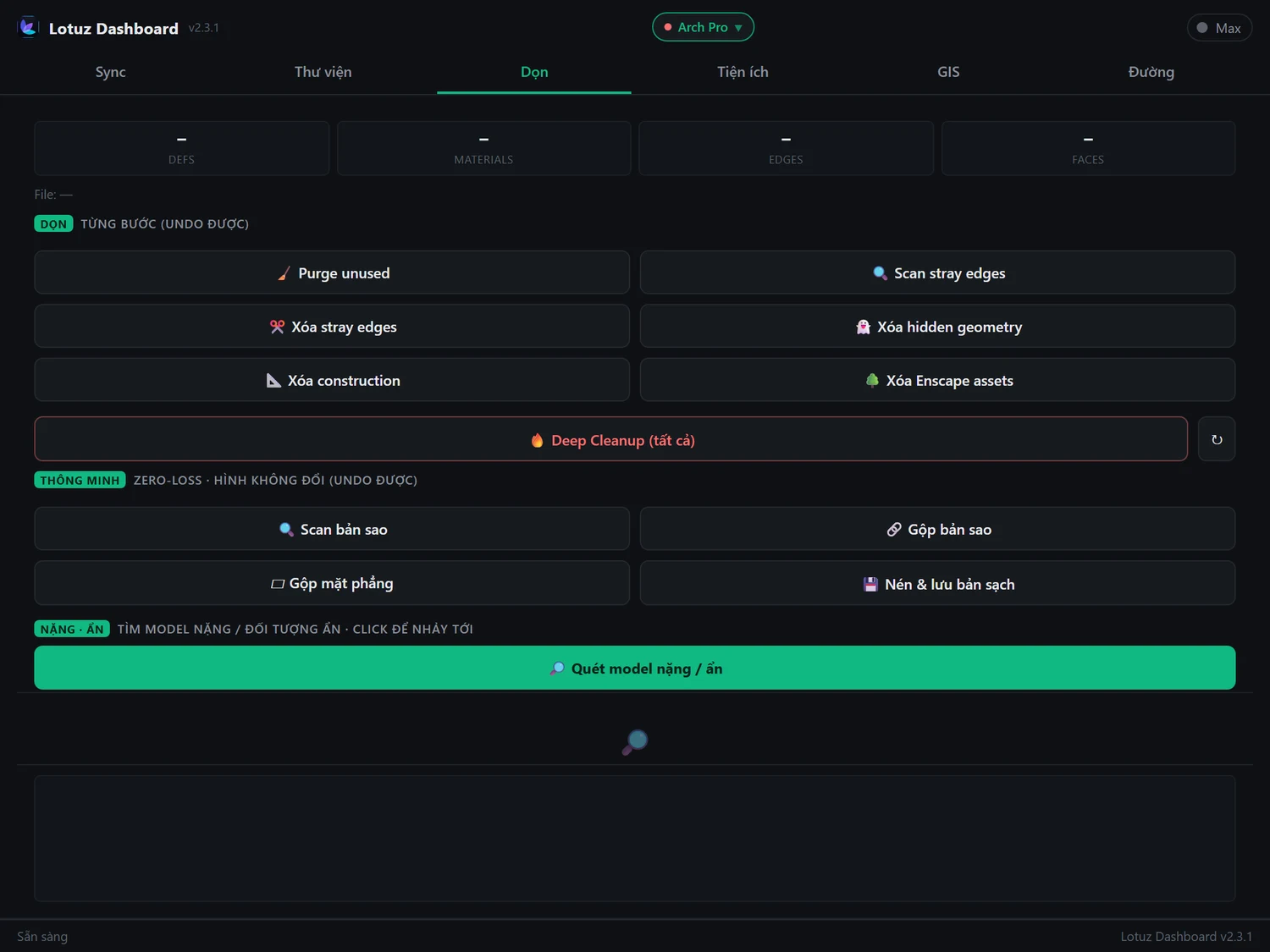
The shipping interface · Clean tab
Duplicates and coplanar faces, with thresholds — scan before you merge.
The 40 heaviest objects and everything hidden; hidden rows are revealed first.
Definitions, materials, edges, faces plus file size, refreshed after every command.
Purge, stray edges, hidden geometry, construction lines, Enscape leftovers.
Duplicates and coplanar faces, with thresholds — scan before you merge.
The 40 heaviest objects and everything hidden; hidden rows are revealed first.
No mock marketing UI — real SketchUp / 3ds Max / Photoshop panels from Lotuz workflows.
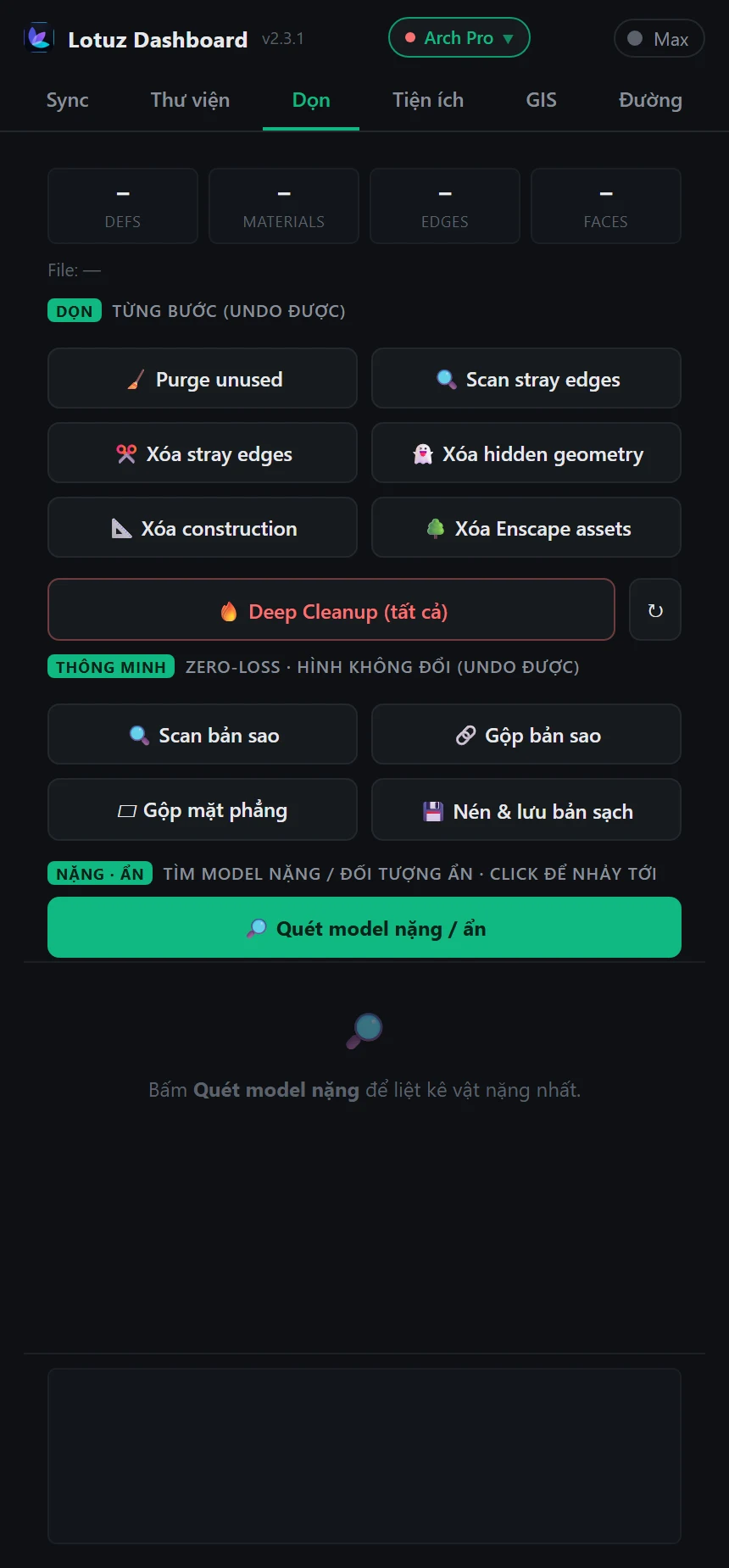

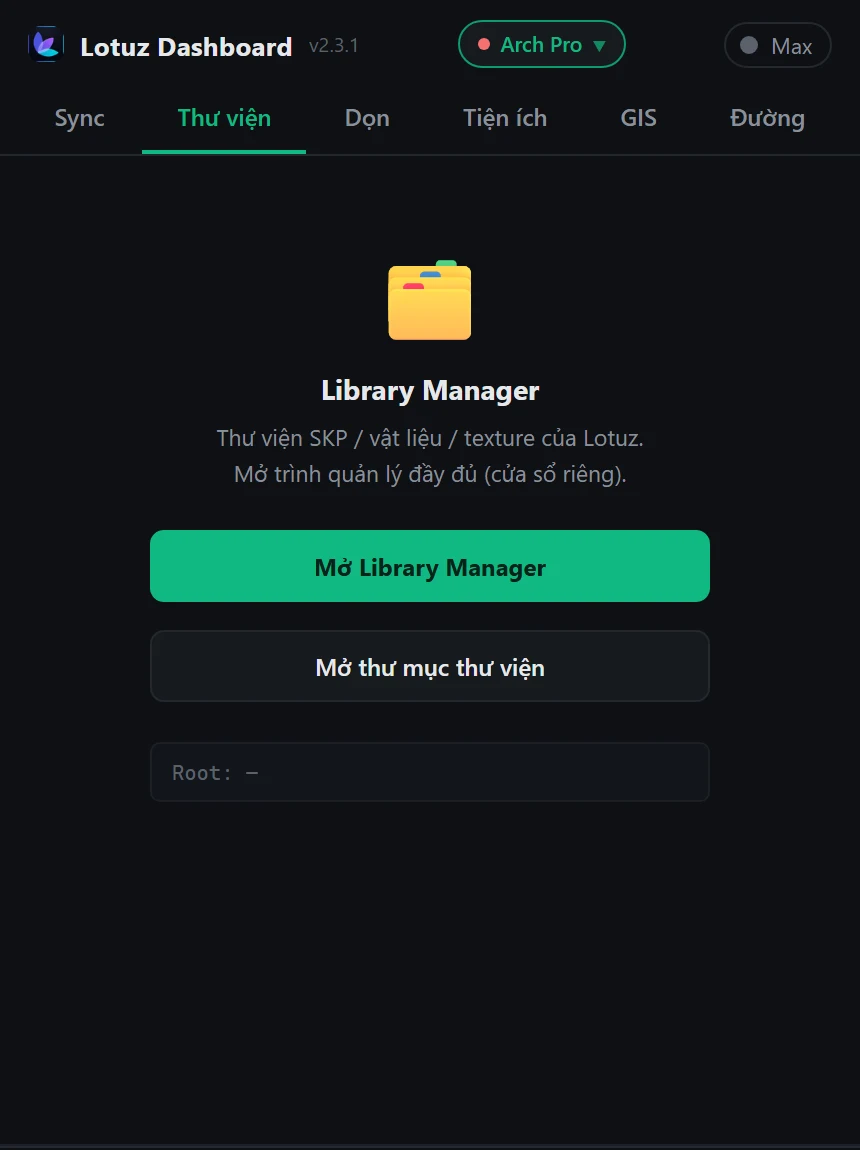
A model drifts to 200–300 MB after a few revision rounds. Clean it before it goes out, so the client can open it and your archive stops growing with every version.
Duplicate definitions and triangulated faces slow down every push to 3ds Max and every context import. Cleaning first is the cheapest way to cut the waiting.
Choppy orbiting is usually hidden geometry and stacked duplicates, not the graphics card. Find them, drop what is genuinely waste, and SketchUp breathes again.
DWG imports drag in tens of thousands of edges that belong to no face; Enscape scenes leave behind trees, lights and 3D people. Each has its own command here.
Lotuz Dashboard → Clean. A free account is enough — no Arch plugin needed.
Definitions, materials, edges, faces, plus the file name and its current size. That is your baseline.
Purge, stray edges, hidden geometry, construction lines, Enscape leftovers — six separate commands. Do not like one? Undo exactly that step.
Scan duplicates first to see what you would reclaim, then merge. Coplanar merge removes the hidden triangulation edges without changing a single shape.
List the heaviest objects and everything currently hidden; click a row and the camera jumps to it. Finish with “compact and save” so the size on disk actually drops.
Each action is wrapped in its own SketchUp operation. Run the eight-step deep clean, dislike what the coplanar merge did, and you can undo just that step instead of the whole run.
Importing from several sources breaks instance sharing — the same chair becomes many separate definitions. The tool fingerprints vertices, folds them back into one definition and keeps every instance, so the scene looks identical.
Two faces merge only when they share a material and a tag, their normals agree within 0.9999, and they sit within 1e-4 inch of the same plane. Sloped roofs and terrain meshes therefore stay untouched.
The forty heaviest objects in three groups: components, top-level groups, and anything hidden. Click a row to select and zoom; a hidden row is revealed first, then jumped to.
Deleting inside SketchUp does not return disk space — removed data stays in the file until the next write. This command purges everything unused and writes a clean `_compact.skp`; your open file is left alone.
Before saving, reclaimable size is derived from the file’s own bytes-per-primitive ratio. It is there to help you decide; the real number appears once the compact copy is written.
The four “smart” commands are built to leave shapes untouched: merging duplicates keeps every instance, coplanar merge only removes the edge between two identical, coplanar faces. The step-by-step group does delete — stray edges, hidden geometry, Enscape assets — so still save a copy before a deep clean.
Purge only drops unused entries. Here you also get stray-edge counting and removal, hidden geometry at every level, an Enscape-specific sweep, duplicate definition merging, coplanar merging, a clickable heavy-object table, and a compact save that genuinely shrinks the file.
No. Faces merge only when they are effectively parallel and on the same plane; a sloped terrain mesh never qualifies.
“Remove Enscape assets” deletes Enscape.Asset objects — its trees, lights and 3D people. That is the point when you need a lean file to hand over; do not run it on a model you are still rendering with Enscape.
No. Clean sits in the free tier alongside Library and Utilities. GIS, Road and Sync are bought separately, by the year.
Expected — SketchUp reclaims space only on write. Use “compact and save” and compare the `_compact.skp`.
Free, never expires. Create an account, then download the Lotuz installer.
Hands-on tutorials written by the Lotuz team for architects and visualizers — free to read, no account needed. (In Vietnamese.)
Courses:SketchUpCorona · 3ds MaxD5 RenderBlenderBrowse the whole Community →
AI for Photoshop
Generate, relight and upscale with AI without leaving your open document. 17 models, 118 architecture prompts.
Learn more →Render and edit architectural images on the web
Upload a SketchUp view, pick a preset and press Render — the result keeps your massing and camera. Not happy with one spot? Mark it to change, add or remove, and nothing else moves.
Learn more →SketchUp to 3ds Max sync
Native geometry transfer between apps — no FBX, no axis flips, no broken texture paths.
Learn more →SketchUp to Blender — early build
Live link from SketchUp to Blender, carrying materials, camera and sun direction. Install the add-on for Blender 4.2 or newer and enable it in Preferences › Add-ons. Early build, still being finished.
Learn more →Urban context and terrain inside SketchUp
Frame an area on the map and get building blocks, roads at real widths, green areas and terrain — each layer on its own tag.
Learn more →Roads, junctions and markings in SketchUp
Draw an alignment and build the carriageway to one of fifteen standard sections, with curb-return junctions, QCVN 41:2019 markings and terrain following.
Learn more →Lay curbs and edging along a path
Pick a profile and run it along a path: curbs, planter edging, gutters. A library of ready-made profiles is included.
Learn more →Parametric doors, windows and curtain walls
Build doors, windows and curtain walls from parameters inside SketchUp, in the Doors / Curtain wall tab of the Lotuz Dashboard.
Learn more →SKP · SKM · texture library
Browse models, materials and textures in one window. Thumbnails are packed into the folder itself, so the whole studio shares them.
Learn more →Massing and apartment layout — free
Block out a building, split a typical floor into apartments and read planning figures right inside SketchUp. Free, no expiry.
Learn more →Block · Remove · Manage · Add SketchUp plugins
One place to control extensions: toggle, block conflicts, uninstall broken plugins, install more, and review hotfixes — free with Lotuz.
Learn more →Use Claude with SketchUp
Let Claude or Codex drive SketchUp over the MCP protocol. Still being finished, opening soon.
Learn more →