Block
Block
Kill conflicts fast.
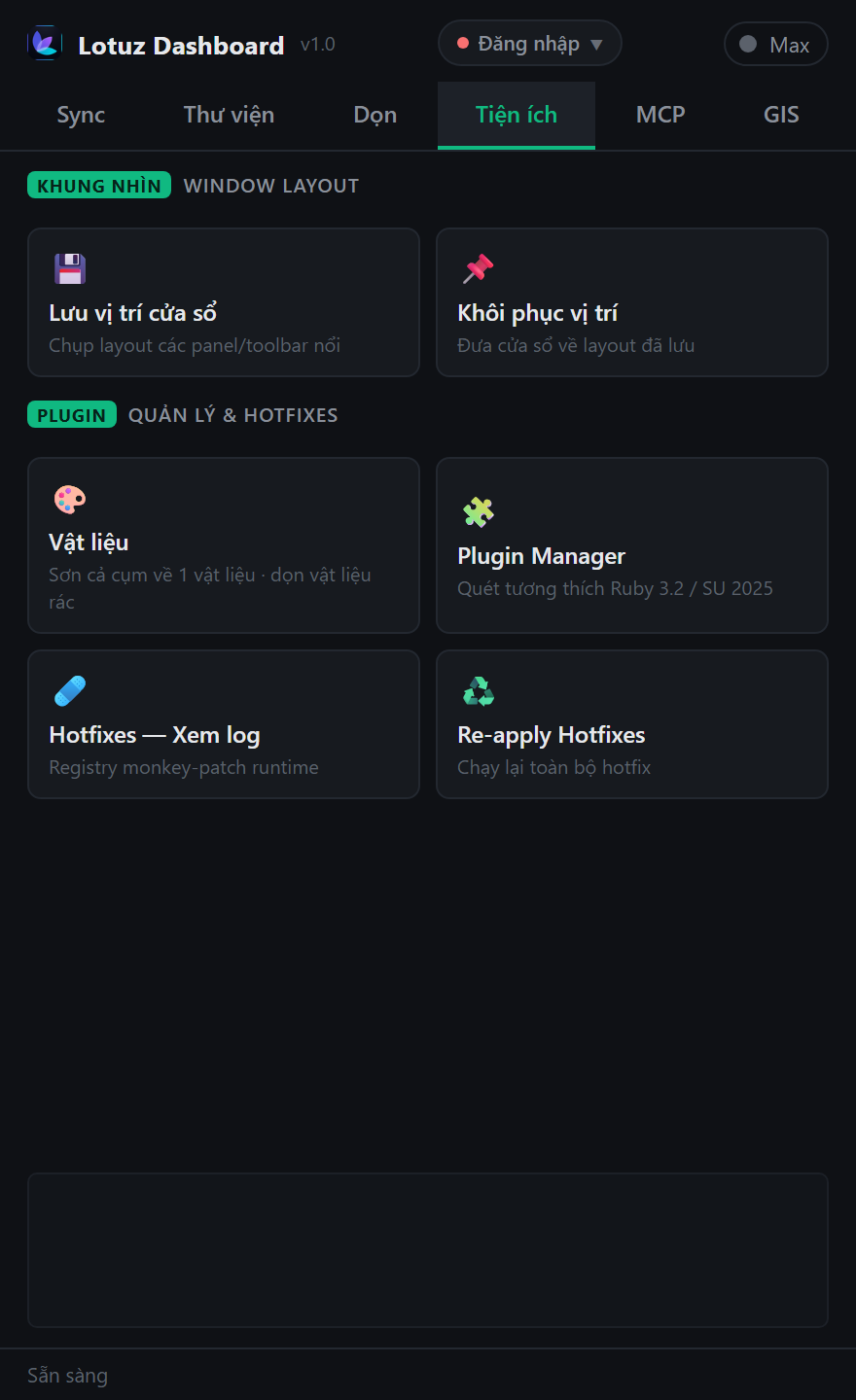
One place to control extensions: toggle, block conflicts, uninstall broken plugins, install more, and review hotfixes — free with Lotuz.
Free, never expires. Create an account, then download the Lotuz installer.
Requires: SketchUp 2021.1+ · Windows
Block · remove · toggle · add plugins.
Kill conflicts fast.
Uninstall broken extensions.

SketchUp plugin management workflow
Control load list.
Install + hotfix.
Kill conflicts fast.
Uninstall broken extensions.
Control load list.
Install + hotfix.
No mock marketing UI — real SketchUp / 3ds Max / Photoshop panels from Lotuz workflows.
Conflicts crash SketchUp.
Standardize the extension list for the team.
Install/remove without hunting the Plugins folder.
Lotuz menu or Dashboard / suite tab.
Loaded extensions — toggle quickly.
Block conflicts or uninstall broken plugins.
Install more; read Lotuz hotfix log.
Disable problem extensions without full uninstall.
Clean uninstall when done.
Lotuz suite patch history.
With account — no Arch.
Complements Lotuz workflow (block/hotfix). Extension Warehouse still works.
User extensions only; backup list before bulk remove.
Free, never expires. Create an account, then download the Lotuz installer.
Hands-on tutorials written by the Lotuz team for architects and visualizers — free to read, no account needed. (In Vietnamese.)
Courses:SketchUpCorona · 3ds MaxD5 RenderBlenderBrowse the whole Community →
AI for Photoshop
Generate, relight and upscale with AI without leaving your open document. 17 models, 118 architecture prompts.
Learn more →Render and edit architectural images on the web
Upload a SketchUp view, pick a preset and press Render — the result keeps your massing and camera. Not happy with one spot? Mark it to change, add or remove, and nothing else moves.
Learn more →SketchUp to 3ds Max sync
Native geometry transfer between apps — no FBX, no axis flips, no broken texture paths.
Learn more →SketchUp to Blender — early build
Live link from SketchUp to Blender, carrying materials, camera and sun direction. Install the add-on for Blender 4.2 or newer and enable it in Preferences › Add-ons. Early build, still being finished.
Learn more →Urban context and terrain inside SketchUp
Frame an area on the map and get building blocks, roads at real widths, green areas and terrain — each layer on its own tag.
Learn more →Roads, junctions and markings in SketchUp
Draw an alignment and build the carriageway to one of fifteen standard sections, with curb-return junctions, QCVN 41:2019 markings and terrain following.
Learn more →Lay curbs and edging along a path
Pick a profile and run it along a path: curbs, planter edging, gutters. A library of ready-made profiles is included.
Learn more →Parametric doors, windows and curtain walls
Build doors, windows and curtain walls from parameters inside SketchUp, in the Doors / Curtain wall tab of the Lotuz Dashboard.
Learn more →Clean up SketchUp files — free
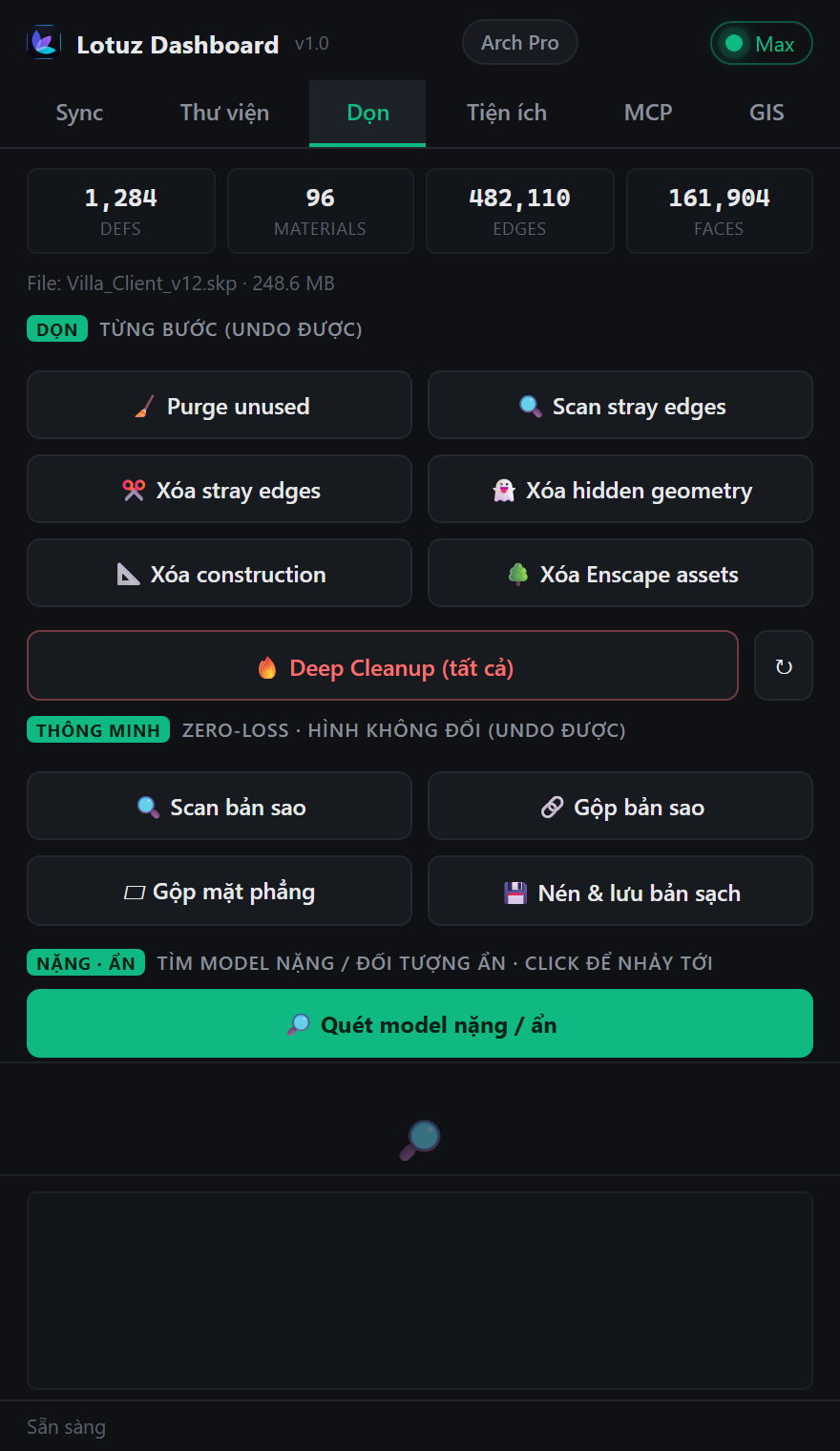
Eleven controlled cleaning commands, each undoable on its own. Find the heavy objects, merge duplicates without changing shapes, then write a compacted copy.
Learn more →SKP · SKM · texture library
Browse models, materials and textures in one window. Thumbnails are packed into the folder itself, so the whole studio shares them.
Learn more →Massing and apartment layout — free
Block out a building, split a typical floor into apartments and read planning figures right inside SketchUp. Free, no expiry.
Learn more →Use Claude with SketchUp
Let Claude or Codex drive SketchUp over the MCP protocol. Still being finished, opening soon.
Learn more →